AI Social Media Post Generator and Scheduler
Small business owners already have a problem solved: they've written pages describing what they sell, how they operate, and what makes them different. What they lack is the time to repackage that content across LinkedIn, Facebook, Instagram, X, Threads, Pinterest, and beyond.
A social media post generator won't invent generic caption ideas. Instead, it reads your existing service pages, product listings, and blog posts, extracts the real details you've already written - your price points, service areas, specific offers, guarantees - and drafts social posts ready to publish. You then review, adjust tone or calls to action if needed, and schedule. No blank prompt box. No AI-invented details. Just your business speaking through a faster workflow.
The practical difference matters more than it might sound. Many tools produce captions about "spring sales" or "customer appreciation." Few read your actual service page, identify what makes your business distinct, and turn that into something your audience will recognize as genuinely yours.
What An AI Social Media Post Generator Actually Does
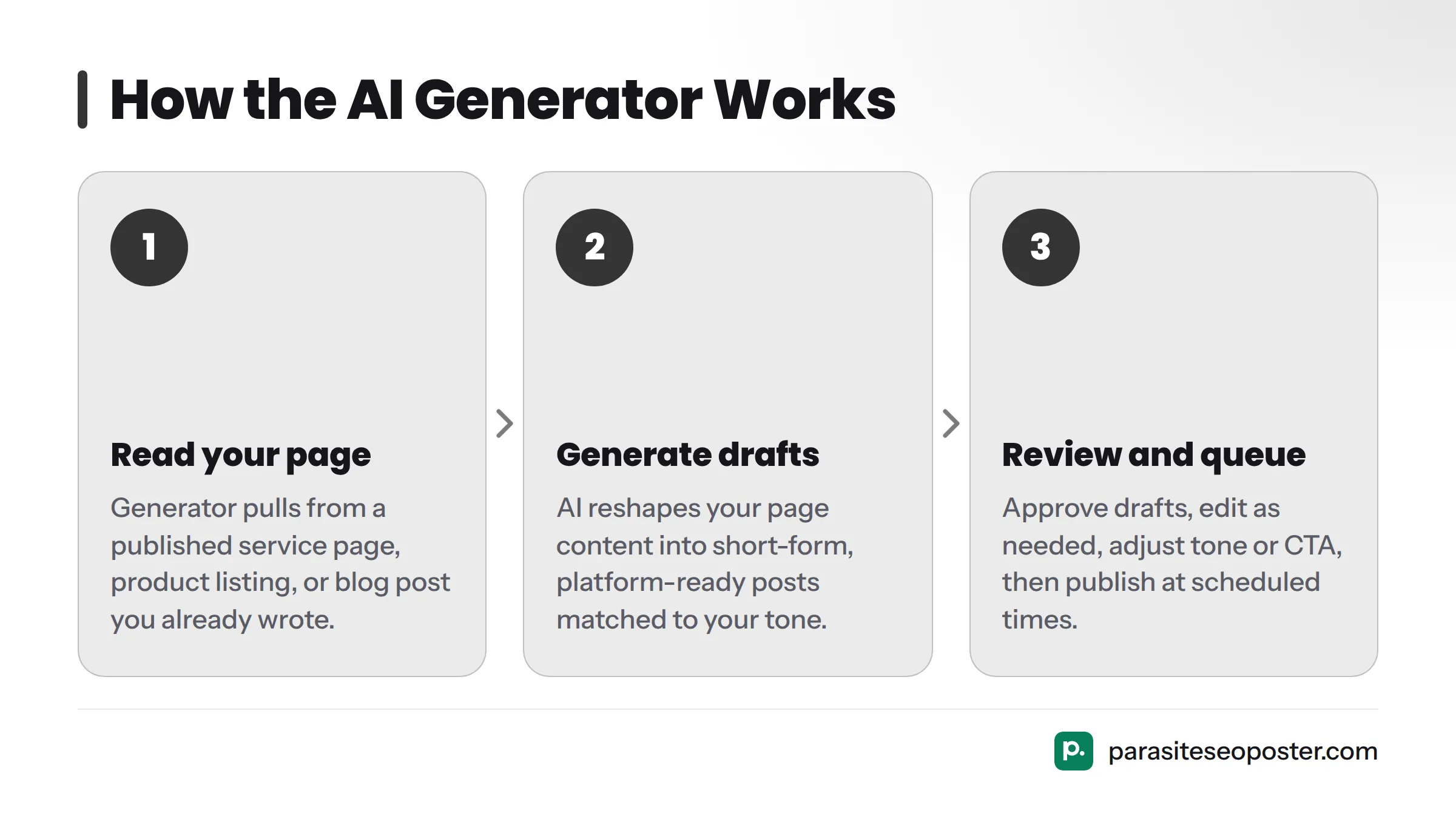
Think of it this way: a feature that reads a page you've already published (a service page, product listing, or blog post) and turns it into draft social posts matched to your tone, sized for different platforms, and queued for your review before publishing.
Built for small operations without a dedicated content team - plumbers, bookkeepers, boutique gyms, freelance designers, local bakeries - this workflow solves a real problem. Your website already explains what you do. Your social accounts have gone quiet because you don't have an hour each week to write captions. If your business has a homepage or a few service pages, you have raw material ready to repurpose. The generator's job is to stop that material from sitting unused.
This differs fundamentally from tools that ask "what topic do you want a post about?" and invent something generic. Here, the starting point is content you or your team already wrote to describe your actual business. The output reads less like stock AI copy and more like someone on your staff summarized your own page for social.
How Drafts Come From Your Real Business Content
The generator pulls from your published pages: a specific service description, product listing, or blog article. It identifies the core offer and the details that make it specific - your price, service areas, product features, promised outcomes - then reshapes that into short-form, platform-ready posts.
This sits on top of what ParasiteSEOPoster calls its content atomization engine, which breaks a long page into smaller, reusable content pieces. Rather than treating a 1,200-word service page as one static asset, atomization identifies the sub-ideas inside it, each a candidate for its own social post. A page about "residential HVAC tune-ups" might yield separate drafts about seasonal maintenance, energy savings, same-day scheduling, and customer guarantees - each drawn from language already there.
Why this distinction matters: Generic AI generators invent claims. A first-party-sourced draft can only draw from what's actually written on your page, which means the service area you list, the price you quote, or the guarantee you offer shows up accurately, not as an AI's guess at what a business like yours might say.
That single shift - drafting from real pages instead of a blank prompt - is the biggest functional gap in most social content tools on the market today. A generator tied to your own site content needs far less editing before it sounds like you.
What You Control Before Publishing
Automatic generation doesn't mean hands-off generation. Every draft stays editable, and you decide what ships. Before anything gets queued, you can adjust:
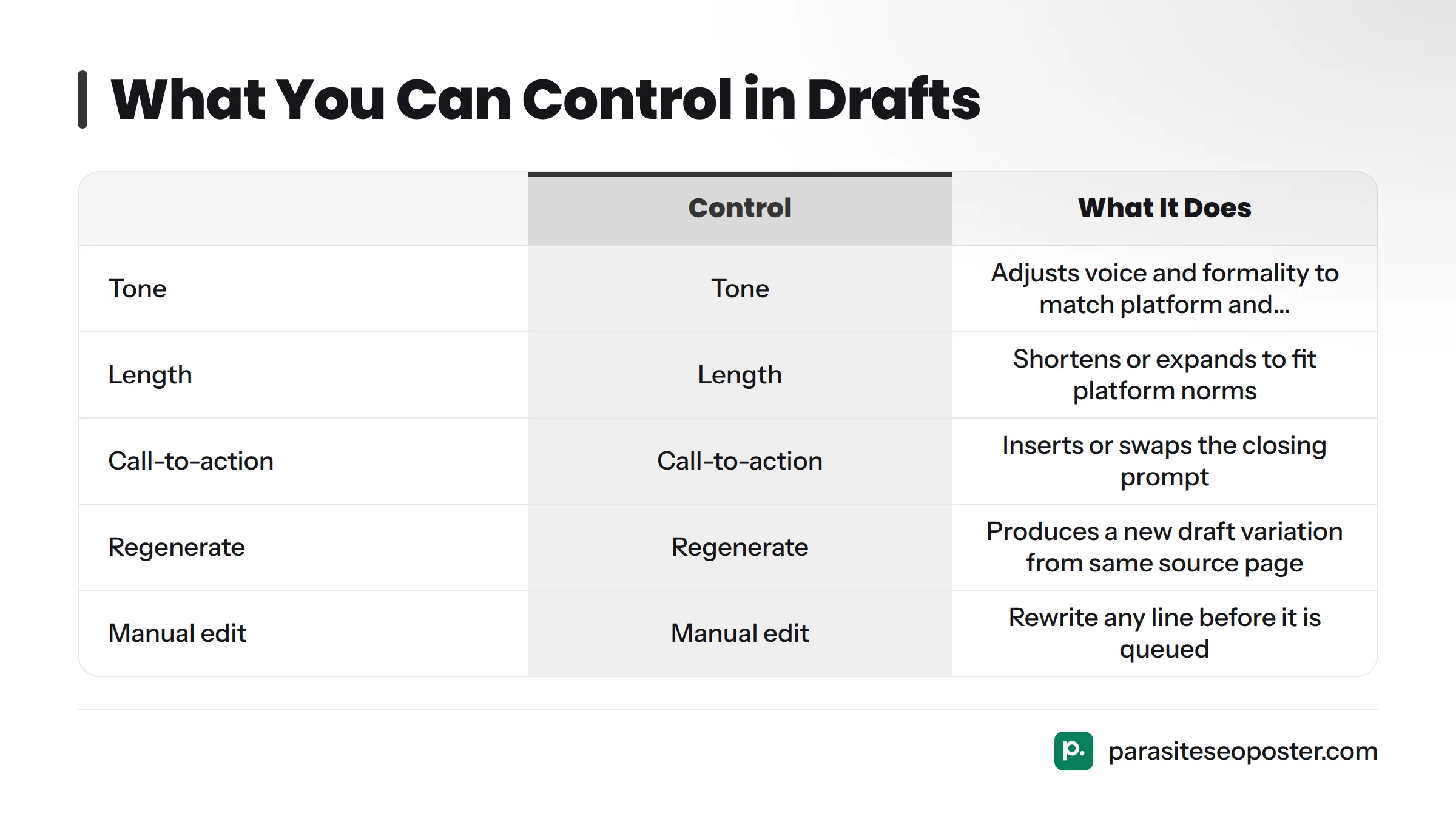
- Tone: shift a draft from professional to casual, warm, witty, or matter-of-fact.
- Length: trim it for X or Threads, or let it run longer for LinkedIn or Facebook.
- Call-to-action: add or change the closing line - "book a free quote," "shop the sale," "read the full guide."
- Regenerate: if the first draft misses, generate another version from the same source page without restarting.
- Manual edit: rewrite any line directly, the way you'd edit a note before sending it.
| Control | What It Does |
|---|---|
| Tone | Adjusts voice and formality to match the platform and audience |
| Length | Shortens or expands to fit platform norms |
| Call-to-action | Inserts or swaps the closing prompt that tells readers what to do |
| Regenerate | Produces a new draft variation from the same source page |
| Manual edit | Lets you rewrite any line before it's queued |
Think of the generated draft as a strong first pass from a copywriter who already read your website, not a final answer you're locked into.
From Page Content to Published Post
Here's what the transformation looks like in practice, using a realistic small-business example.
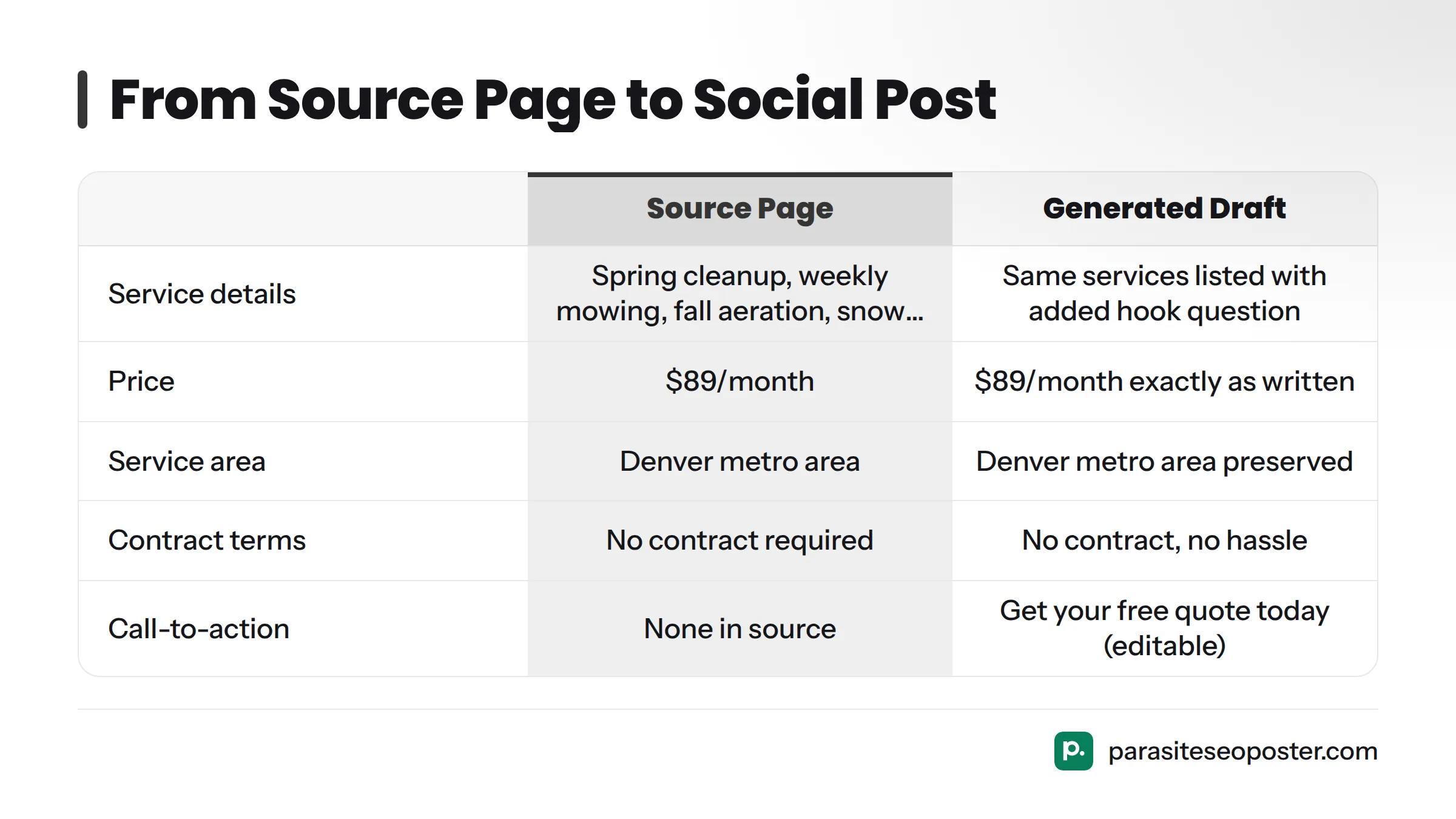
Source page excerpt (a local landscaping company's service page):
"We offer full-season lawn care packages for homeowners in the Denver metro area, including spring cleanup, weekly mowing, fall aeration, and snow removal add-ons. Packages start at $89/month, with no contract required."
Generated draft (Facebook, friendly tone, CTA added):
"Tired of mowing your own lawn every weekend? Our full-season lawn care packages cover spring cleanup, weekly mowing, fall aeration, and even snow removal, starting at just $89/month. No contract, no hassle. Serving homeowners across the Denver metro area. Get your free quote today."
Notice what came directly from the source: the price, the service area, the specific services, and the no-contract detail. Nothing is invented. The hook question and closing call-to-action are the only additions - and both are editable before the post ever goes live.
That's the practical difference. One tool sounds like marketing copy about nothing in particular. The other sounds like your business talking.
Bring Your Own AI Key (BYOK)
BYOK means you connect your own account with an AI provider - OpenAI or Anthropic - so generation runs through your API key instead of a shared platform pool.
Two reasons this matters: cost and control. Using your own key, you pay the AI provider directly at their rates rather than a platform markup. You also choose which model powers your drafts, which matters if you already use a preferred AI provider elsewhere.
BYOK isn't required. It's an option for business owners and agencies who want direct cost visibility or who already pay for API access and don't want to pay twice. Most users start on the standard plan. If cost control becomes a priority later, you can switch. The BYOK setup guide covers exact steps.
How It Fits Into Your Content System
The generator works as one part of a three-step workflow:
- Atomize: Your web pages are broken down into smaller content pieces through the atomization engine, each one a post candidate.
- Generate: The AI generator turns those pieces into drafts, with tone, length, and CTA under your control.
- Schedule: Approved drafts move into a queue and publish at the times you set through the AI scheduler.
This same logic applies to turning any single page into a batch of posts - a workflow built for business owners who'd rather point the tool at a published page than start from nothing. If you want a broader sense of how creators approach AI-assisted content planning, this walkthrough on building a repeatable AI content batching workflow shows the kind of planning-ahead mindset that pairs well with a generator tied to your own pages.
Plans and Usage Limits
A free plan is the right starting point to test draft quality before committing. Paid tiers raise monthly generation and scheduling limits for businesses publishing more frequently or managing multiple brands. Exact limits and pricing are on the plans page, since those details change more often than feature explanations should.
Getting Started
You don't need developers, spreadsheets, or a BYOK setup to begin. Point the generator at a page you already published, review the draft, adjust tone or CTA if needed, and queue it. That's the complete first run.
Start free with ParasiteSEOPoster and generate your first batch from a page you've already published. Your homepage or most detailed service page usually works best - they carry the most specific, usable detail for a draft.
Frequently Asked Questions
Does the generator write from scratch or from my site?
It drafts from your own existing web pages rather than inventing content from a blank prompt. You point it at a page (service description, product listing, or blog post), and it pulls the real details already there into a social-ready draft.
Can I use my own AI key?
Yes. BYOK lets you connect your own OpenAI or Anthropic account so generation runs on your key and you pay that provider directly. It's optional; most users start on the standard plan and switch to BYOK later if cost control becomes important. Full steps are in the BYOK guide.
Can it schedule the posts too?
Yes. Once a draft is approved, it moves into a queue and publishes according to your schedule through the AI scheduler. Generation and scheduling work together rather than requiring separate tools.
Will I be able to edit posts before they go out?
Always. Nothing publishes automatically without review unless you choose that option. You can edit any line, adjust tone or length, swap the call-to-action, or regenerate the whole draft before it enters the queue.
The Real Workflow
Small businesses managing five different platforms - LinkedIn, X, Facebook, Instagram, Threads, Pinterest, Reddit, TikTok, YouTube, Bluesky, Google Business - don't need a bigger content calendar. They need the content they already have doing more work. A generator that starts with your own pages, not an empty box, gets you there faster. More important, it keeps the final call in your hands the entire way through.
Sources
Related: AI scheduler for queued posts, use your own AI key, plans and usage limits