Social Media Scheduler AI: Auto-Plan Posts From Your Site
Most small business owners don't need another blank text box asking them to write a prompt. They need a system that knows what their business actually does.
Here's the direct answer: an AI social media scheduler that reads your website's existing pages, pulls out page-strength data to show which pages are worth promoting, breaks those pages into distinct post angles, and spaces them into a queue across your connected channels for review before anything goes live. No prompting. No staring at a cursor.
That mechanism is where most tools fail. They either slap an "AI" label on without explaining how it works, or they ask you to manually define your content strategy before the AI will do anything. This page explains how a page-content-driven scheduler is different, what it does with your website, and where the honest limits are.
How an AI Social Media Scheduler Works
An AI social media scheduler automates two jobs at once: choosing what to say and deciding when to say it, then placing the result into a queue for publishing across your social channels. The AI matters only if it changes where the content comes from. A chatbot waiting for you to type an idea isn't saving you much thinking. A scheduler that already knows your business because it read your own pages is a different category of tool.
A page-content-driven scheduler works from:
- Your website's existing pages - service pages, product pages, blog posts, location pages, anything already published
- Page-strength data - a measurement of how competitive a page is for its target keywords, so the system can judge whether that page is worth building a campaign around
- Your connected channels - the specific networks you've linked, so posts are shaped for where they're going
It deliberately ignores:
- Open-ended prompts typed from scratch
- Guesses about your brand with no source material
- Generic "industry tips" that don't trace back to anything you published
That's the mechanism competitors tend to skip. Planly lists "AI-powered content creation" as a feature but doesn't explain how the AI decides on topics or timing. Contentdrips lets you define "content pillars," but you're still supplying the strategic thinking. A page-driven system flips that: your website already did the strategic work when it was written, and the scheduler's job is to listen.
From Your Page to a Scheduled Queue: Three Steps
Step 1: Connect Your Site and Channels
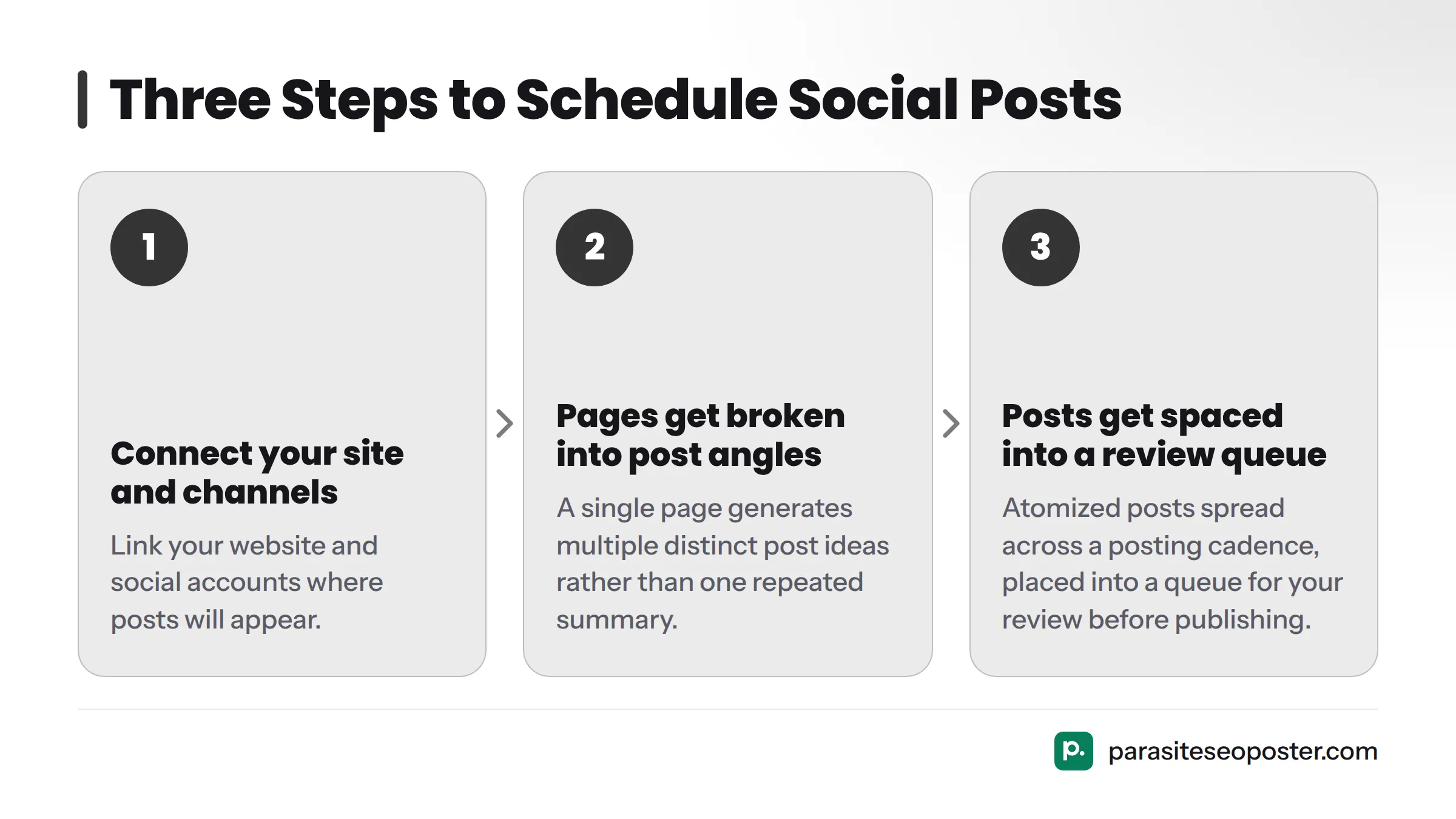
Link your website and the social accounts where you want posts to appear. That's the entire setup. Platform breadth covers networks small businesses use daily: LinkedIn, Instagram, Facebook, X, TikTok, Pinterest, Reddit, Threads, Bluesky, Google Business Profile, and Shopify storefronts. Once connected, the system sees what you've published and where you want it distributed.
Step 2: Pages Get Broken Into Distinct Post Angles
A single page gets split into multiple, separate post ideas rather than one repeated summary. A plumbing company's water heater repair page might generate a post about warning signs of a failing unit, another about average repair costs, and a third about seasonal maintenance. All three pull from the same page but arrive as different angles, so your feed doesn't look like the same sentence recycled five times.
Step 3: Posts Get Spaced Into a Review Queue
Atomized posts spread across a posting cadence, days or weeks apart, placed into a queue tied to your connected channels. Nothing publishes immediately.
Before anything goes live:
- Every generated post sits in draft or scheduled state, not published
- You can open, read, and edit any post before its scheduled time
- You can remove or reschedule individual posts without affecting the rest
- Publishing follows your set schedule, not an automatic release process
No automated system should speak for your business unsupervised.
See this workflow in action: Automating a Week of Posts With AI
Real Example: One Page, One Week of Posts
Northline Plumbing, a small home services business, connected a single service page on emergency drain repair. The system generated distinct posts: one framed around the cost of ignoring a slow drain, one as a quick homeowner checklist, one tied to seasonal holiday guest traffic, and one as a direct call-to-book. Each pulled language and facts from the actual page, not invented claims. Each landed on a different day in the queue rather than publishing all at once.
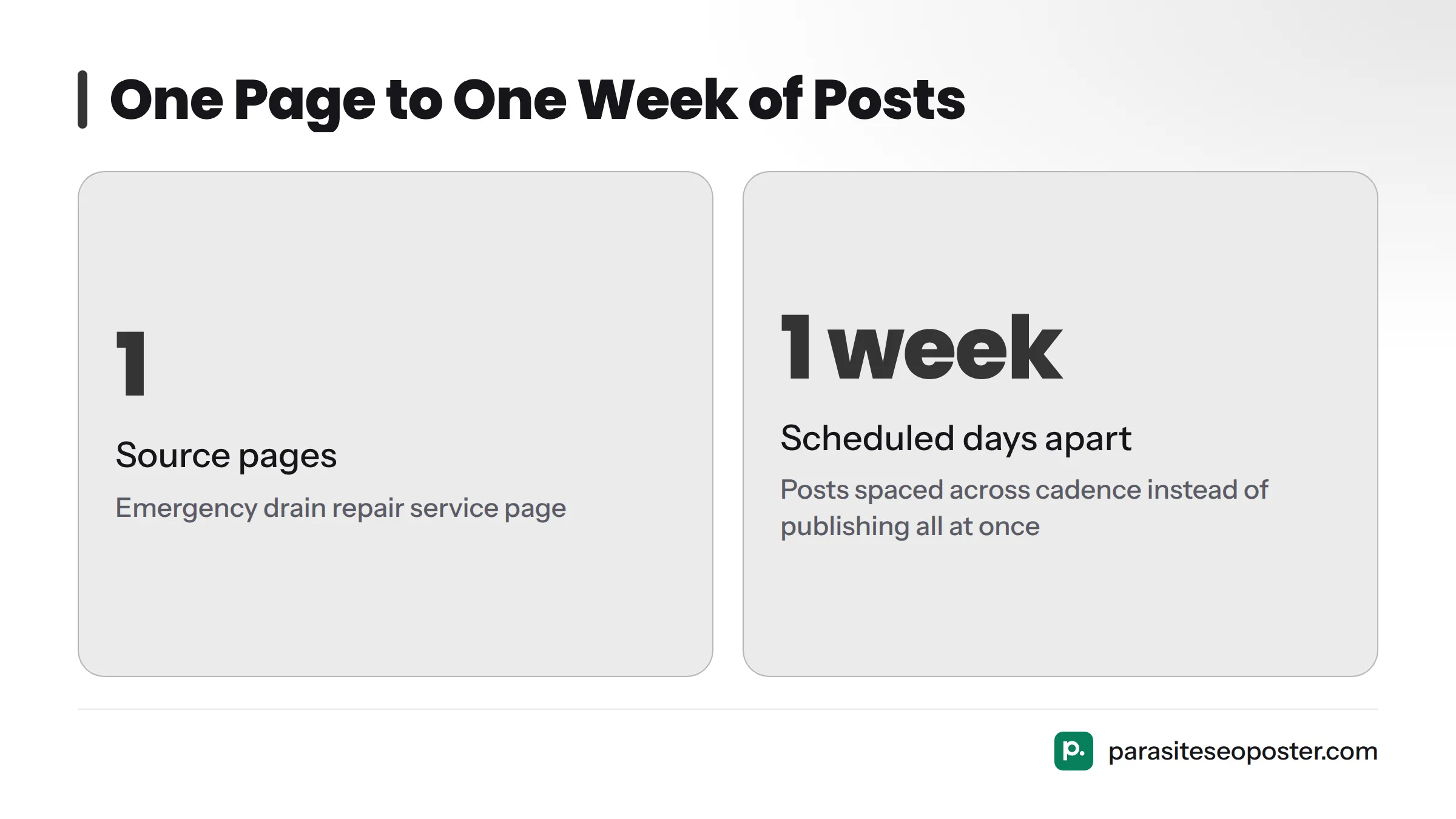
From one page to a week of posts - that's the output of atomization paired with cadence spacing. One source page in, a variety of schedule-ready posts out, each traceable back to real content your business already published.
Why Your Page Content Beats Open-Ended Prompts
Asking a general chatbot to "write a social post for my plumbing business" produces something generic almost every time, because the model has nothing specific to pull from except your wording. Feed it your actual page, and the output reflects real services, real pricing language, and real positioning you already approved when you published.
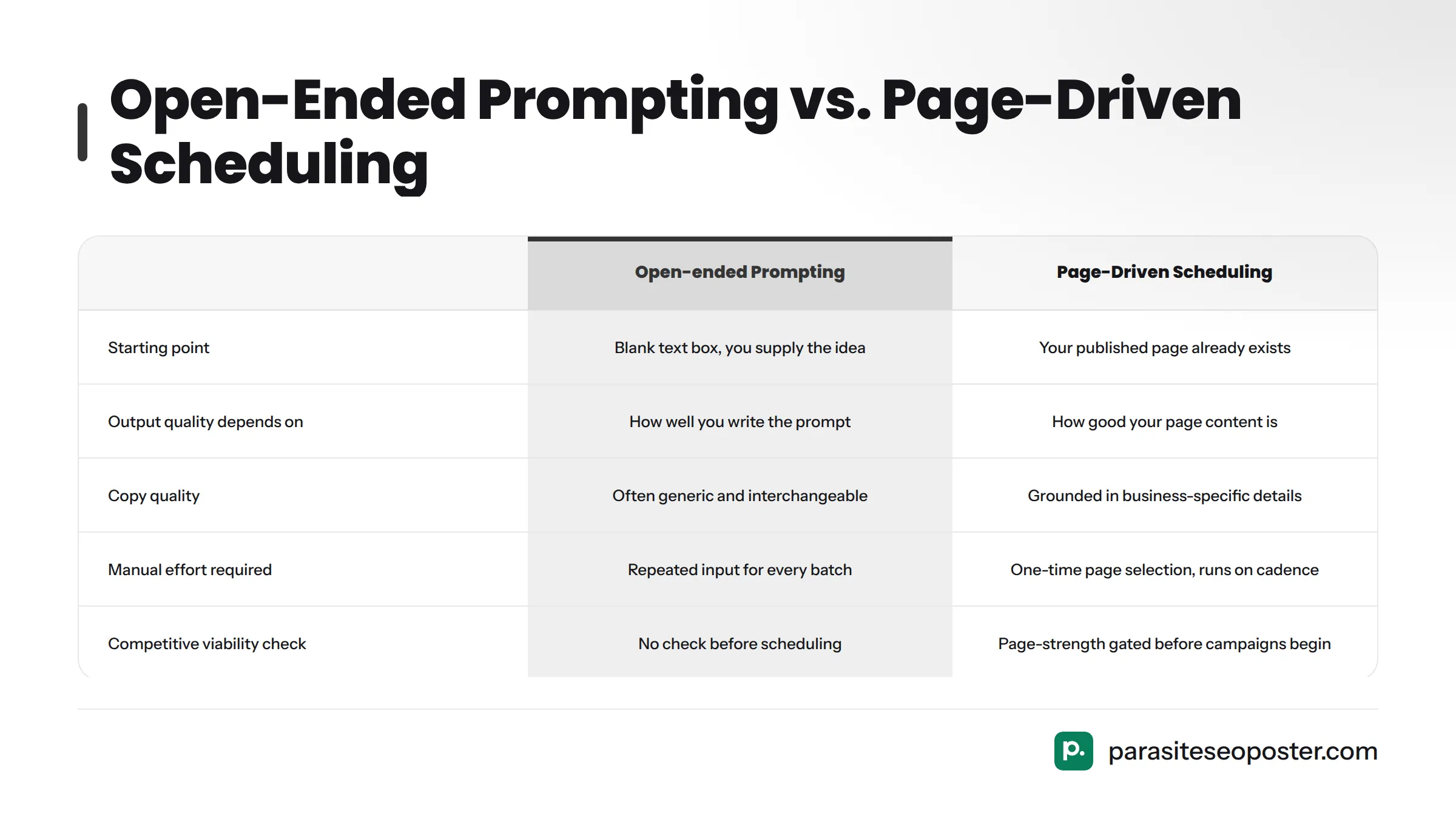
| Open-ended Prompting | Page-Content-Driven Scheduling |
|---|---|
| Starts from a blank text box; you supply the idea | Starts from a page you already published; the idea exists |
| Output quality depends on how well you write the prompt | Output quality depends on how good your page content is |
| Easy to drift into generic, interchangeable copy | Grounded in specifics unique to your business |
| Requires repeated manual input for every batch | Requires one-time page selection, then runs on cadence |
| No check on whether the topic is worth promoting | Gated by page-strength data before scheduling begins |
That last row matters more than it sounds. A page-strength check looks at how competitive a page's target keywords are before the system builds a social campaign around it. If a page has little chance of ranking or resonating, that's useful information before you spend posting slots on it, not after.
Bring Your Own AI Key (BYOK)
BYOK stands for bring your own key. Instead of paying a markup baked into a subscription for AI usage you may not need, you can connect your own AI provider key, such as an OpenAI API key, and the system uses that key to generate your scheduled posts. You see usage and cost directly through your own provider account rather than through a bundled estimate.
This matters for two groups: those who already have an API key for other tools and don't want to pay twice for the same capability, and those who want direct visibility into AI generation costs. For setup steps, the BYOK guide walks through connecting your key once you're ready.
What This AI Scheduler Doesn't Do
Honest boundaries matter more than feature lists. Here's what this tool is not built to do:
- Claim to know the universal "best time to post" for your industry. Posting cadence is based on spacing content sensibly, not unverified engagement science.
- Rank or compare other scheduling tools inside the product.
- Walk you through a full manual BYOK setup on this page. That detail lives in the dedicated guide linked above.
- Publish anything without landing in a reviewable queue first.
- Build a full campaign around a page with little competitive chance of ranking. The page-strength gate stops that.
For the broader picture of how scheduling works across all features beyond the AI layer, the social media scheduler for small business overview covers that. Once posts are generated, they lay out on a content calendar for a full view of what's publishing and when.
Get Started With AI Scheduling
If you've been putting off social media because coming up with ideas feels like homework, this removes that step. Connect your site, pick the pages worth promoting, and let the system build a queue you can review in minutes instead of building from nothing every week. ParasiteSEOPoster offers a free way to try, and the plans and usage limits page shows exactly what's included before you decide whether BYOK or a standard plan fits your budget.
Questions About AI Scheduling
What does the AI actually schedule? Distinct social posts generated from your own website pages, atomized into separate angles and spaced across a posting cadence, placed into a queue tied to your connected channels for review before publishing.
Can I use my own AI provider key? Yes. BYOK lets you connect your own key, such as an OpenAI API key, so generation runs on your account and you see exact usage and cost through your own provider rather than a bundled estimate.
Will it post on pages that can't rank? No. Page-strength data is checked before a campaign is built, and the system holds back from scheduling heavy campaigns around pages with little realistic chance of competing for their target keywords.
Sources
- Planly - Social Media Scheduler
- Contentdrips - Bulk Post Planner
- OpenAI API Documentation
- Wikipedia - Content Strategy
- ParasiteSEOPoster
Related: use your own AI key, AI post generator and scheduler