Social Media Scheduler for Small Business | ParasiteSEOPoster
Most small business owners don't struggle with when to post. They struggle with what to post in the first place. The real bottleneck isn't scheduling - it's content creation itself.
A scheduler that pulls from pages already live on your website, checks whether each page is strong enough to compete, then publishes automatically addresses this gap. It's a gap most scheduling tools quietly ignore.
Why Small Businesses Struggle to Keep Up a Posting Schedule
Ask any plumber, consultant, or boutique owner why their Instagram or Facebook page goes quiet for weeks, and the answer is rarely "we forgot." It's that nobody on staff has the bandwidth to sit down, think of an idea, write a caption, pick an image, and publish it week after week.
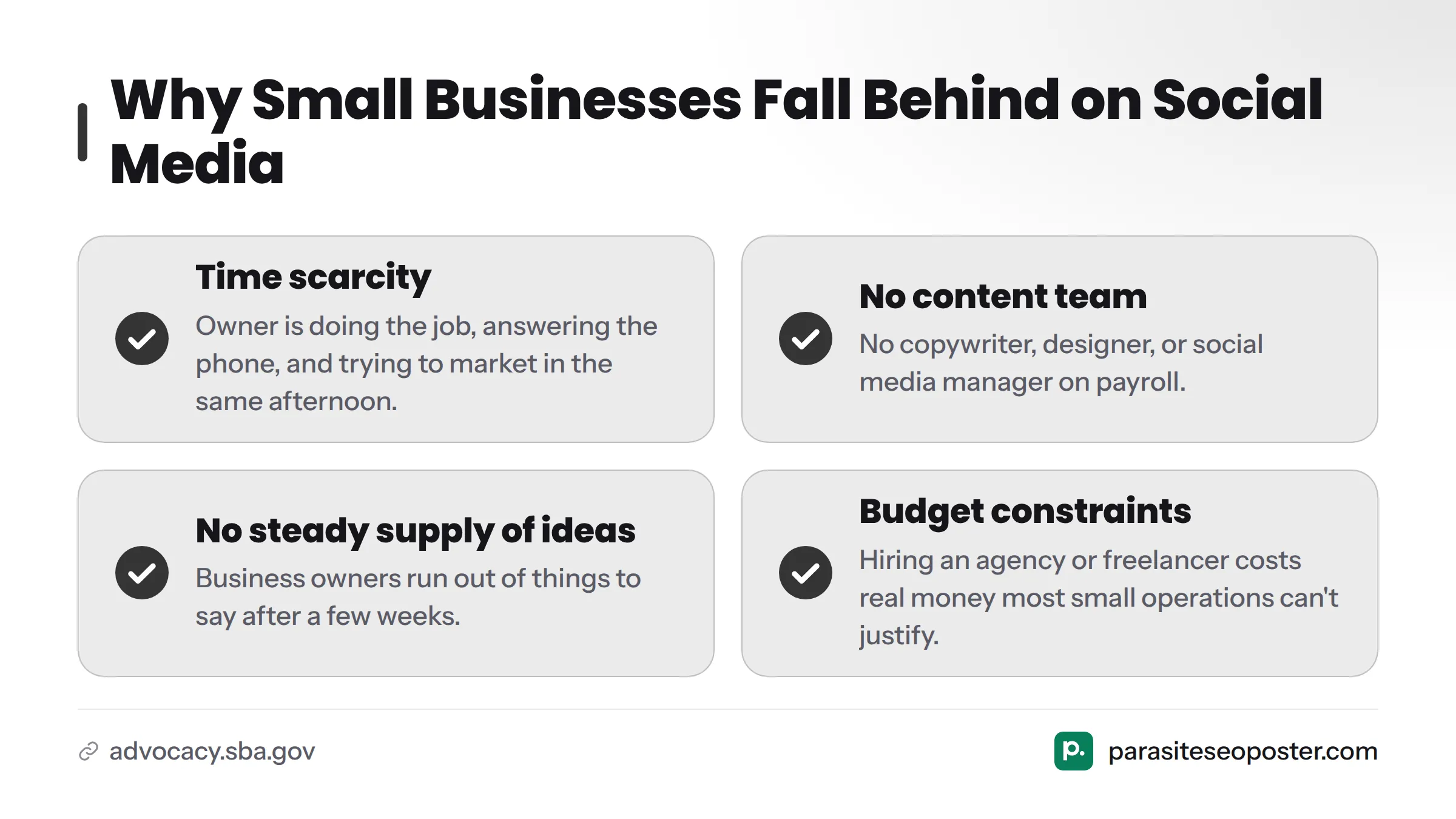
U.S. Small Business Administration data shows most small employers run with fewer than 10 staff, which leaves little room for a dedicated marketing or content role. When no one's job is "create content," social posting becomes the first task that slides.
The pattern usually looks like this:
- Time scarcity. The owner is doing the job, answering the phone, and trying to market the business in the same afternoon.
- No content team. There's no copywriter, designer, or social media manager on payroll.
- No steady supply of ideas. Even business owners who want to post consistently run out of things to say after a few weeks.
- Budget constraints. Hiring an agency or freelancer to produce weekly content costs real money most small operations can't justify.
A scheduler that only handles timing solves none of this. It gives you a calendar to fill, but the calendar stays empty if nobody has anything to put in it.
What Makes a Scheduler Built for Small Business Different
Most social media scheduling software works the same way: you write or generate the caption, upload the image, and the tool fires it off at the right time. That's all it does - it assumes the content problem is already solved.
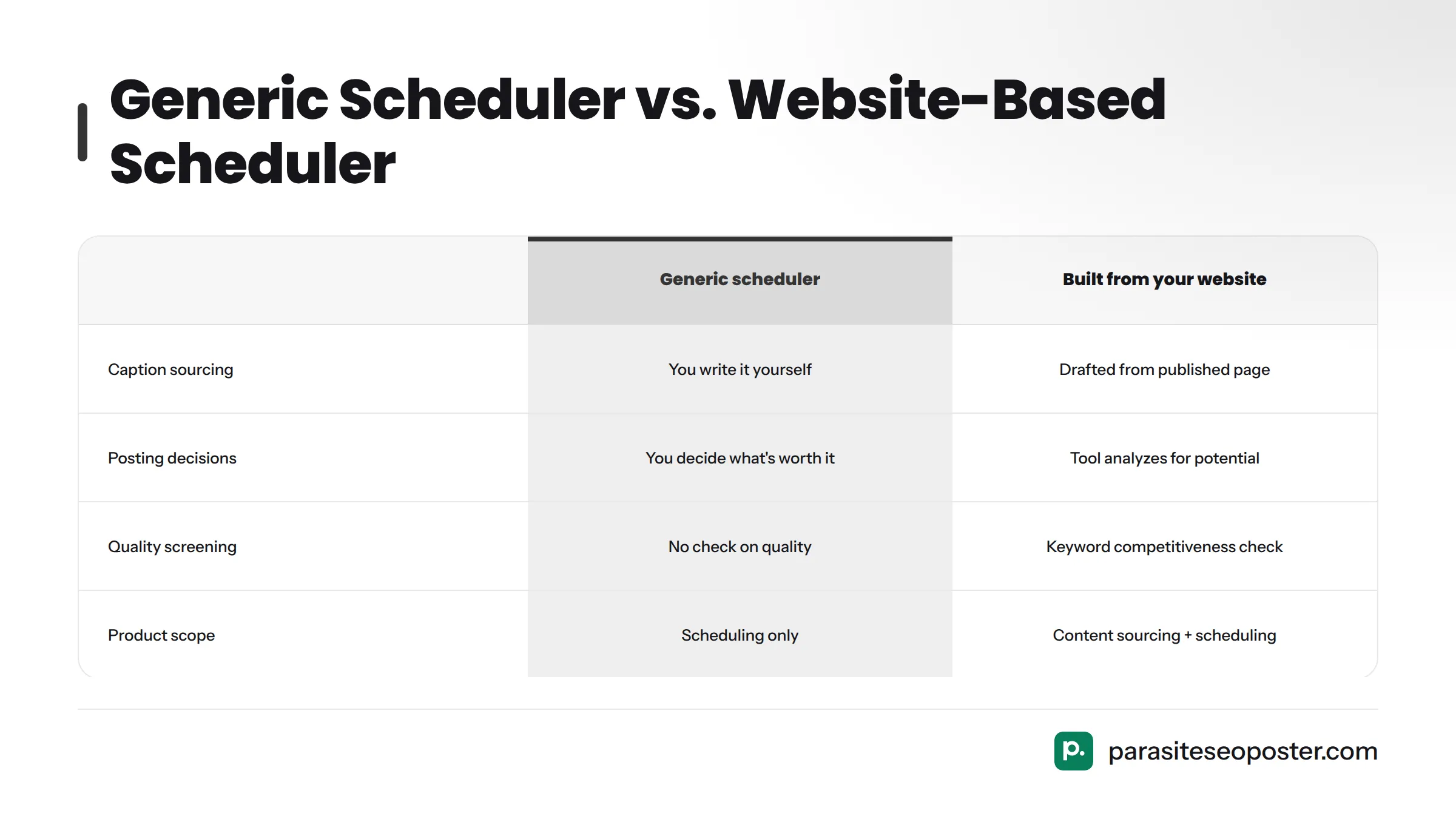
A scheduler built specifically for small business owners starts one step earlier. Instead of waiting for you to supply a caption, it looks at pages you've already published on your website - your services, products, blog posts - and turns them into ready-to-review social posts. This process is called content atomization: breaking a single piece of existing content into smaller, platform-ready posts that each carry part of the original message, link back to it, and extend its reach.
Here's the key difference:
| Generic scheduler | Scheduler built from your website |
|---|---|
| You write the caption yourself | The post is drafted from a page you already published |
| You decide what's worth posting | The tool analyzes your pages for posting potential |
| No check on content quality | A keyword competitiveness check screens out weak material |
| Scheduling is the whole product | Scheduling is the last step after content sourcing |
That last row matters most. A tool like ParasiteSEOPoster runs a competitiveness check on the page being turned into a campaign before it reaches your queue. If a page is unlikely to earn traction because the keyword is too competitive or the page itself isn't strong enough, the campaign gets held back instead of being published anyway. This is campaign blocking - a safeguard most schedulers never mention because most schedulers never touch content quality.
From Website Page to Scheduled Post: The Core Workflow
The mechanic draws on patterns learned from analyzing thousands of business websites. Here's how it works:
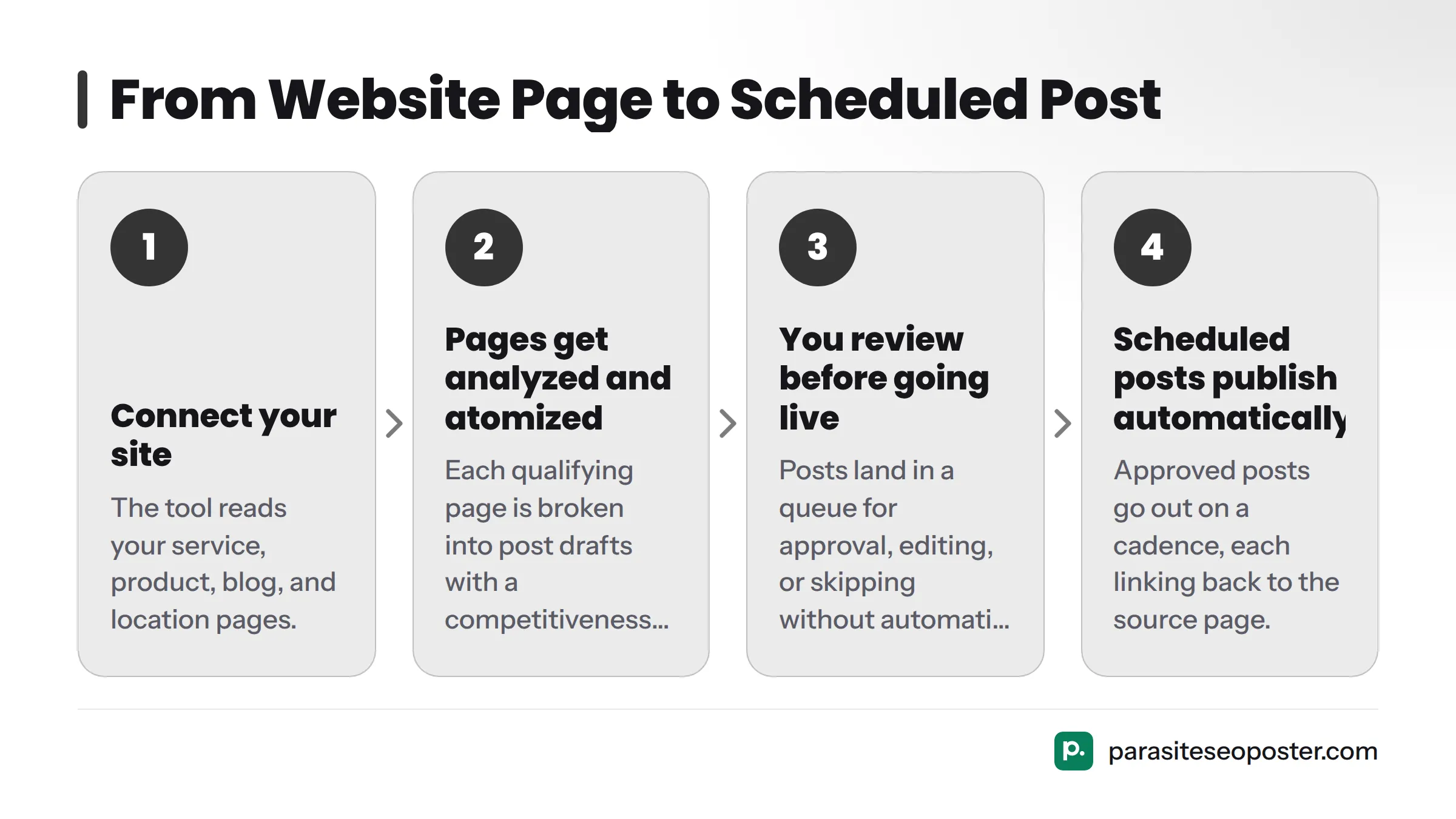
- Connect your site. The tool reads your service pages, product pages, blog posts, and location pages.
- Pages get analyzed and atomized. Each qualifying page is broken into shorter, platform-ready post drafts with a competitiveness check run against the page's target keyword.
- You review before anything goes live. Posts land in a queue for approval, editing, or skipping. Nothing publishes without your review first.
- Scheduled posts publish automatically. Approved posts go out on a cadence, each linking back to the source page.
When a page can't realistically compete for its target keyword, or the content is too thin to support a push, the tool blocks that campaign rather than publishing weak posts. You're flagged about why, so you always know which pages need strengthening before they're worth promoting.
Want to see exactly how a page gets broken down into individual posts? The full mechanics are covered on the page atomizer page.
Real Results: How Northline Plumbing Turned Pages Into Posts and Traffic
Case studies without numbers are just marketing. Here's one with numbers attached.
Northline Plumbing, a local service business with no in-house content team, connected its website to an automated scheduling workflow instead of hiring staff. Its existing service pages - drain cleaning, water heater repair, emergency plumbing - were atomized into a running stream of social posts, each checked for keyword competitiveness before being queued.
The result wasn't just a fuller content calendar. Because every post linked back to its source page, the posting activity started driving measurable referral visits back to the Northline Plumbing site. What used to be a stagnant, rarely-updated feed became a consistent channel feeding organic traffic back to pages that actually convert visitors into booked jobs.
This outcome happens because the tool solves the content-sourcing step where the real bottleneck lives - something a generic scheduler can't do on its own.
If you'd prefer to see this kind of tool comparison in video form, this walkthrough of free scheduling tools covers the baseline mechanics most small businesses start with before hitting the content wall.
Key Features Small Business Owners Rely On
Once the content-sourcing problem is handled, the rest of the feature set supports the atomization workflow:
- AI-assisted scheduling that suggests timing based on when a page's audience is most likely to engage
- A content calendar where you see every upcoming post, drafted and scheduled, in one view
- One-click publishing, so approved posts go live without manual copy-paste for each channel
- Supported social posting platforms spanning the channels small businesses actually use: Instagram, Facebook, LinkedIn, and TikTok
- Built-in keyword competitiveness checking and campaign blocking, so low-potential content doesn't eat into your limited posting cadence
These features exist for one reason: to keep a steady stream of posts flowing without requiring you to sit down and write them.
Who This Scheduler Is Built For
This isn't built for social media managers running fifty client calendars, and it isn't built for teams who already have a content pipeline. It's built for people running a business who also need a social presence without staff to maintain one.
| Business type | Why it fits |
|---|---|
| Local service businesses | Service pages atomize into posts about the work you already describe on your site |
| Contractors and home services | No content team required; pages already explain the services worth promoting |
| Ecommerce stores | Product pages become a natural source of ongoing post material |
| Solo consultants | One person can maintain a consistent presence without hiring help |
| Professional practices | Existing informational pages double as social content without extra writing |
| Agencies managing client sites | Each client's pages feed that client's own posting queue |
| Software businesses | Feature and use-case pages translate directly into social posts |
| Publishers and content sites | Existing articles extend their reach instead of going stale after publication |
If your business already has a dedicated content creator, you may not need this layer. If you're the person running the business and trying to keep social media alive, this closes the gap.
Getting Started With Your Social Media Scheduler
There's no lengthy onboarding process standing between you and your first scheduled post.
- Connect your website. The tool reads your existing pages to find content worth turning into posts.
- Review your first atomized posts. You'll see drafts generated from your own pages, each checked for competitiveness.
- Schedule and publish. Approve what you like, adjust what needs a tweak, and let the queue handle the rest.
You can start on a free account, which makes this a low-risk way to see whether your site has enough existing content to fuel a real posting cadence before committing to anything paid. Full pricing details are on the ParasiteSEOPoster pricing page.
Frequently Asked Questions
Do I need to write the posts myself?
No. Posts are drafted automatically from pages already on your website, so you review and approve rather than write from scratch. You can still edit any post before it goes live.
Is there a free plan?
Yes. Start with a free account, connect your site, and see your first batch of atomized posts before deciding whether to upgrade.
Which channels can I schedule to?
The tool supports the major platforms small businesses rely on: Instagram, Facebook, LinkedIn, and TikTok.
Why might a campaign be blocked?
A campaign gets blocked when the source page isn't strong enough to realistically compete for its target keyword, or the content is too thin to support a push. This keeps your posting cadence focused on content that actually has a chance to earn traffic.
What happens if my website page isn't strong enough to compete?
The keyword competitiveness check flags it before a campaign is created, and the campaign-blocking logic holds it back rather than publishing anyway. You're told why, so you know which pages need strengthening before they're worth promoting.
Is this suitable for a one-person business?
It's built with exactly that owner in mind. No content team, no marketing hire required - just existing website pages and a few minutes to review what gets generated.
The Real Difference
Social media scheduling software has existed for years, built around the assumption that content is the easy part and timing is the hard part. For most small businesses, it's the reverse.
Tools like Buffer, Hootsuite, and Later excel at scheduling mechanics. But none solve the upstream problem of having nothing ready to schedule. A scheduler that pulls directly from pages you've already written removes that blocker entirely. Once that blocker is gone - as Northline Plumbing's results show - a feed stays active, and traffic flows back to the pages doing the real work of converting visitors into customers.
Sources
Related: publish with one click